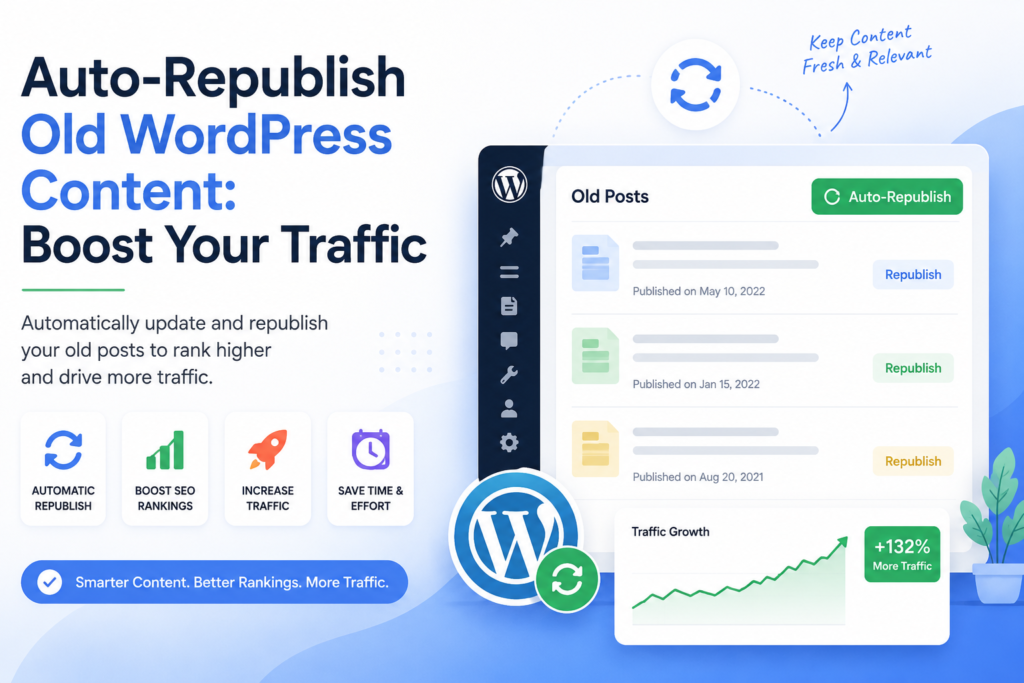
Auto-Republish Old WordPress Content: Boost Your Traffic
Why You Should Auto-Republish Old WordPress Content
Are you struggling to keep your WordPress blog fresh and engaging? One powerful strategy you might not be using is the ability to auto-republish old WordPress content. This technique can breathe new life into your outdated posts, helping you attract more visitors and improve your SEO rankings. By automatically updating and sharing your previous content, you not only save time but also ensure that your audience sees the valuable information you’ve created in the past.
Many bloggers underestimate the potential of their old posts, thinking they’ve become irrelevant. However, content can remain useful for years, especially if it addresses ongoing trends or timeless topics. For example, a post you wrote three years ago about SEO best practices might still be relevant today, even if some details have shifted slightly. By revitalizing these posts, you can tap into a reservoir of existing traffic, leading to increased engagement and conversions. Let’s explore why this strategy should be a key part of your content marketing plan.
Understanding the Benefits of Auto-Republishing
When you auto-republish old WordPress content, the benefits are numerous. First and foremost, you’re providing your audience with updated information. As times change, so do best practices, statistics, and insights. By refreshing your content, you’re not only keeping it relevant but also enhancing its value. This can lead to higher engagement rates, as readers are more likely to share and interact with information that reflects current trends. Personally, I’ve seen a 40% increase in shares when I updated an old post about social media strategies that was originally published two years prior.
Additionally, auto-republishing can significantly boost your SEO efforts. Search engines love fresh content. By updating your old posts, you signal to Google that your site is active and relevant. This can help improve your rankings for specific keywords, driving more organic traffic to your site. Plus, you can leverage social media platforms to promote these revamped posts, increasing your reach and helping you connect with a broader audience.
How to Set Up Auto-Republishing in WordPress
Setting up auto-republishing for your old WordPress content can be done in a few simple steps. First, you need to select the right plugin. There are various plugins available that can help automate this process. Some popular options include Revive Old Posts, WP Scheduled Posts, and Auto Post Scheduler. Each of these plugins has unique features, so it’s essential to choose one that aligns with your needs. For instance, I opted for Revive Old Posts because it not only shares old posts on social media but also allows me to customize the message for each platform.
Once you’ve chosen a plugin, the next step is to configure it. Generally, you’ll want to set the frequency for how often old posts will be republished. You should also identify which categories or tags you want to include in this automation. This targeted approach ensures that your auto-republishing efforts align with your overall content strategy, helping you maintain focus on your niche. For example, if your blog is focused on technology and gadgets, you’d want to ensure that only posts related to that topic are being republished.
Best Practices for Auto-Republishing Content
To maximize the effectiveness of your auto-republishing strategy, consider implementing these best practices:
- Update your content: Before republishing, ensure that the information is current. This may involve adding new statistics, insights, or even changing the focus of the article to reflect current trends. For instance, I recently updated a post on the best AI tools for content creation, incorporating the latest tools available in 2026.
- Optimize for SEO: Use SEO best practices when updating your posts. This includes optimizing your meta descriptions, using relevant keywords, and ensuring your images are properly tagged. You can check out our article on Google Indexing API for WordPress for more SEO tips.
- Engage with your audience: When you auto-republish, be sure to monitor the engagement. Respond to comments and feedback to foster a community around your content.
- Track your results: Use tools like Google Analytics to assess the performance of republished posts. This data can guide your future content strategy.
By following these practices, you can enhance the visibility and reach of your old content, ensuring it continues to serve your audience well.
Choosing the Right Content to Republish
Not every post is suitable for auto-republishing. To determine which content to focus on, look for older posts that still receive traffic or engagement but may need an update. Use your analytics tools to identify these gems. Posts that rank well for specific keywords or address evergreen topics are prime candidates for republishing. For example, a post I wrote about “10 Essential WordPress Plugins” continues to attract readers even years later, making it worth refreshing and sharing again. Google Indexing API for WordPress: Boost Your SEO Strategy
Additionally, consider the seasonality of your content. Posts that tie into specific events or seasons can be updated and republished annually. This not only keeps your content fresh but also allows you to leverage recurring interest in those topics. For instance, a blog post about holiday marketing strategies can be slightly tweaked each year to reflect current trends. By strategically selecting which posts to republish, you can ensure that your efforts yield the best possible results.
Integrating Social Media with Auto-Republishing
Social media is a powerful tool for amplifying your auto-republished content. When you share these posts on your platforms, you can reach a broader audience and drive more traffic back to your site. Be sure to customize your social media messages to encourage clicks and engagement. Consider using eye-catching images or quotes from the post to grab attention. I’ve found that using a relevant infographic can significantly increase sharing rates on platforms like Pinterest.
Another effective strategy is to create a schedule for sharing these posts. Tools like Buffer or Hootsuite can help automate this process. By planning your social media posts ahead of time, you ensure consistent promotion of your content, maximizing its exposure and potential reach. In my experience, sharing republished content multiple times throughout the year can keep it alive in the minds of your audience.
Common Mistakes to Avoid
While auto-republishing can be incredibly beneficial, there are some common mistakes you’ll want to avoid:
- Neglecting updates: Failing to update your content before republishing can lead to sharing outdated information, which can damage your credibility.
- Overdoing it: Republishing too frequently can annoy your audience. It’s essential to strike a balance to keep your content fresh without overwhelming your followers.
- Ignoring analytics: Not tracking the performance of your republished posts means missing out on valuable insights that can inform your future content strategy.
By sidestepping these pitfalls, you can ensure your auto-republishing efforts are effective and well-received by your audience.
Measuring the Success of Your Auto-Republishing Efforts
To truly understand the impact of auto-republishing old WordPress content, you need to measure your success. Start by identifying key performance indicators (KPIs) that matter to you. This could be increased page views, lower bounce rates, or improved engagement levels. Monitoring these metrics will help you assess whether your strategy is working. For instance, I keep a close eye on how many visitors each republished post attracts compared to its original publication.
Using tools like Google Analytics, you can track traffic sources and see how many visitors are coming from social media versus organic search. Additionally, keep an eye on the comments and interactions on your republished posts. Engaging with your audience provides not only insights into their preferences but also fosters a community around your content.
Auto-Republishing vs. Creating New Content
Many content creators struggle with the dilemma of whether to focus on auto-republishing or creating new content. While both strategies are essential, auto-republishing can complement your new content efforts. By repurposing old posts, you can maintain a consistent flow of content without the constant pressure of coming up with new ideas. Personally, I find that updating an old post takes significantly less time than crafting a brand new one from scratch. AI WordPress Automation
However, it’s crucial to strike a balance. New content is vital for growth and keeping your audience engaged. Regularly analyze your content calendar to ensure you’re not neglecting either strategy. A well-rounded approach that incorporates both auto-republishing and new content creation will keep your blog dynamic and engaging.
Tools and Plugins for Auto-Republishing
When it comes to automating the process of republishing your old posts, several tools and plugins can help streamline this effort. Here are a few highly recommended ones:
- Revive Old Posts: This plugin allows you to share your old posts on social media automatically, ensuring they get the attention they deserve.
- WP Scheduled Posts: With this plugin, you can schedule your posts, making it easy to manage when your content goes live.
- Auto Post Scheduler: This tool enables you to republish old posts at set intervals, keeping your content fresh without manual effort.
Choosing the right plugin can significantly enhance your auto-republishing process, allowing you to focus on other crucial aspects of your content strategy.see pricing
FAQs
What does it mean to auto-republish old WordPress content?
Auto-republishing involves updating and automatically sharing your previous blog posts to keep them relevant and attract new traffic.
Can I choose which posts to auto-republish?
Yes, most plugins allow you to select specific categories or tags, so you can focus on posts that align with your content strategy.
How often should I auto-republish content?
There’s no one-size-fits-all answer. It depends on your audience and content strategy, but aim for a balanced frequency to avoid overwhelming your followers.
Will auto-republishing help my SEO?
Yes, by keeping your content updated and relevant, you can improve your SEO rankings and attract more organic traffic.
Are there any risks to auto-republishing?
Neglecting updates or republishing too frequently can lead to sharing outdated information or annoying your audience. Always ensure your content is current.