Best AI Image Generator WordPress 2026: 7 Tested by ROI
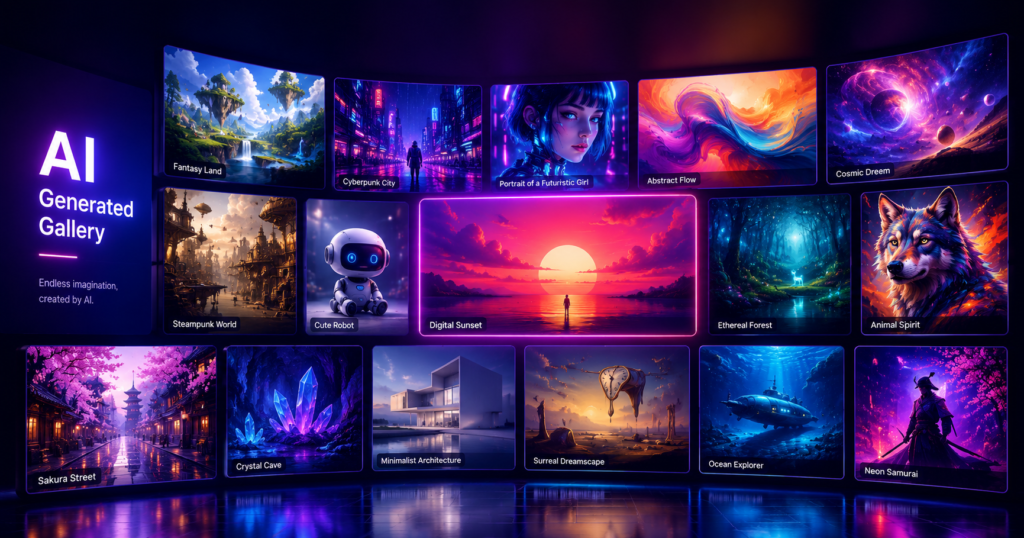
Stock photos are dead for blog content in 2026. Pinterest pins with stock images get 3-5x fewer saves than AI-generated alternatives. Featured images that match your specific article context convert better. And you can’t license-headache yourself into 500 unique images per month.
The fix: AI-generated images for every WordPress post.
The question isn’t WHETHER to use AI images — it’s WHICH generator to use. I’ve tested 7 major options across 14 months and roughly 18,000 generated images. Here’s the ROI-ranked breakdown with real cost data, real quality assessments, and real workflow recommendations.
TL;DR — the ranking
| Rank | Generator | Best for | Cost |
|---|---|---|---|
| #1 | Cloudflare Workers AI (FLUX) | Default choice for blogs | Free, 230/day |
| #2 | OpenAI gpt-image-1 | Photorealism + complex scenes | $0.04/image |
| #3 | Pexels (stock fallback) | When AI can’t render real subjects | Free |
| #4 | DALL-E 3 | OpenAI ecosystem users | $0.04/image |
| #5 | Nano Banana | Artistic/stylized work | $0.03/image |
| #6 | Pollinations | Quick low-stakes images | Free |
| #7 | Pixabay (stock) | Backup to Pexels | Free |
The TL;DR for impatient readers: start with Cloudflare Workers AI (free), upgrade to gpt-image-1 for hero images on important articles.
Now the detailed reviews.
#1 — Cloudflare Workers AI (FLUX)
This is what powers 80% of my image generation in 2026.
Why it’s #1
- Completely free for 230 images/day (effectively unlimited for most blogs)
- HD quality (1024×1024 native)
- No watermarks
- Commercial use allowed
- Setup takes 5 minutes
- API is fast (4-8 seconds per image)
Quality assessment
On a 1-10 quality scale:
- Generic illustrations: 9/10
- Conceptual art: 8/10
- Realistic landscapes: 8/10
- People (faces): 6/10 (still has the AI uncanny valley)
- Brand-specific products: 5/10 (can’t generate a specific iPhone 16, etc.)
- Complex multi-subject scenes: 7/10
For 90% of blog use cases, this quality is more than enough. The only times I reach for paid alternatives are when I need photorealistic faces or specific real-world products.
Setup
Sign up at cloudflare.com (free, no credit card) → Account ID + API Token → paste into your image plugin. Takes 5 minutes. I have a separate detailed guide if you want the full walkthrough.
My typical use
- All Pinterest pins (10-30 per article)
- Most featured images
- Inline article images for concepts
230/day = 6,900/month = enough for 3-5 active blogs simultaneously.
#2 — OpenAI gpt-image-1
The premium option when free isn’t enough.
Why it’s #2
- Photorealism that fools casual viewers
- Excellent text rendering (most image AI fails at text)
- Handles complex multi-subject scenes well
- Outputs in flexible aspect ratios
- Strong style consistency
Cost
- $0.04 per standard image
- $0.08 per HD image
For a blog publishing 4 articles/week with 1 hero image each = 16 images/month = $0.64-$1.28/month. Cheap enough to use for important articles.
Quality assessment
- Faces: 9/10
- Real-world products: 8/10
- Branded scenes: 8/10
- Text within images: 9/10
- Stylized art: 7/10
When I use it
- Pillar article hero images
- Pinterest pins for high-traffic content I want to perform especially well
- Anything with people or specific real subjects
Setup
OpenAI account → API key → paste into plugin. Takes 2 minutes. You’ll need to add a payment method.
#3 — Pexels (the smart fallback)
Not AI, but essential. Sometimes you genuinely need a real photograph.
When AI fails
- Specific medical equipment (EKG machines, MRI scanners — AI hallucinates parts)
- Specific brand-name products (real iPhone, real Tesla)
- Real human faces for testimonials/profile shots
- Recent events or current people
Why Pexels over Unsplash
- Cleaner search filtering
- Better metadata for blog reuse
- Consistent commercial-use licensing
- API integration available for plugins
Cost
Free, no attribution required.
Workflow
For my EKG blog, every article needs at least one stock photo of medical equipment. Pexels search → download → upload as inline image. AI generates the featured image and other inline visuals.
This hybrid approach (AI for hero + concept, Pexels for real subjects) handles 95%+ of blog visual needs.
#4 — DALL-E 3
Solid but increasingly outclassed by gpt-image-1 (OpenAI’s newer model).
Why it’s lower-ranked
- Older model, less photorealistic than gpt-image-1
- Same price as gpt-image-1
- Slower than Cloudflare’s free tier
When to use it
If you’re already on ChatGPT Plus and have DALL-E 3 included, use it for casual generations. Don’t pay extra for it specifically — gpt-image-1 is strictly better.
#5 — Nano Banana
The artistic specialist.
Why it’s interesting
- Stylized output that doesn’t look like every other AI image
- Strong watercolor / painterly modes
- Cheaper than OpenAI ($0.03/image)
- Good for blogs with non-photographic aesthetics (lifestyle, fashion, art niches)
When NOT to use it
- Anything photorealistic
- Anything with real people
- Anything with specific products
My use
For my recipe blog, Nano Banana’s painterly style produces unique, gorgeous food illustrations that stand out from stock photo competitors. For my tech blog, it doesn’t fit at all.
#6 — Pollinations
The “good enough for free” option for low-stakes images.
Why it’s lower-ranked
- Quality is medium (7/10 at best)
- Slower API
- Limited style control
- Inconsistent across generations
When to use it
Quick blog filler images that don’t need to be hero-quality. If you’re on a strict $0 budget and Cloudflare Workers AI’s quota is exhausted, Pollinations is acceptable backup.
#7 — Pixabay
Stock photo backup to Pexels. Use when Pexels doesn’t have what you need.
Same workflow, same licensing model, slightly different content library.
My exact workflow
For each new article, my image plan looks like this:
Featured image (1 image)
- 90% of the time: Cloudflare Workers AI (free)
- 10% of the time: gpt-image-1 ($0.04) for high-stakes articles
Inline images (2-4 per article)
- 80% of the time: Cloudflare Workers AI
- 20% of the time: Pexels for real subjects
Pinterest pins (10-30 per article)
- 100% of the time: Cloudflare Workers AI
Total monthly image cost
- Active months publishing 16+ articles: ~$2-5
- Heavier publishing (70+ articles): ~$10-15
Compare to:
- Midjourney subscription: $20/month
- Adobe Firefly: $24/month
- Canva Pro: $13/month
- Hiring a designer: $500-2000/month
The savings are real and significant.
What about Midjourney?
Quick mention: I don’t use Midjourney for blog work, even though it produces gorgeous output.
Reasons:
- $10-30/month subscription required
- Discord-based interface (not API-friendly for plugins)
- No native WordPress integration
- Better suited for marketing assets, not blog featured images
If you ALREADY pay for Midjourney for other reasons, fine — use it. If not, Cloudflare Workers AI matches Midjourney’s quality at $0/month for blog use cases.
How to pick YOUR generator
The decision tree:
- Are you on a $0 budget? → Cloudflare Workers AI for everything.
- Do you want flexibility for premium articles? → Cloudflare for 90%, gpt-image-1 for hero images.
- Niche is artistic/stylized? → Add Nano Banana for visual variety.
- Niche needs real subjects (medical, products, faces)? → Add Pexels as fallback.
- You publish 100+ articles/month? → Cloudflare alone may hit daily limit. Add Pollinations as overflow.
For 90% of WordPress bloggers, the answer is: Cloudflare Workers AI as default, Pexels as fallback for real subjects. That’s it.
Plugin integration matters
Picking the right generator is half the battle. The other half is integration.
A good WordPress automation tool should:
- Support multiple generators (so you can switch without rewriting prompts)
- Auto-fall-back when one provider fails
- Optimize prompts per provider (each model responds differently)
- Generate Pinterest pin variants automatically (not just one image per article)
- Compress images before upload (Core Web Vitals)
- Add alt text using your focus keyword
Without this orchestration, you’re manually copy-pasting prompts and uploading images. Doable for 4 articles/week, impossible at scale.
For a complete view of how image generation fits into the broader WordPress automation pipeline, see the full AI WordPress automation guide — it covers content writing, SEO, social distribution, indexing, and image generation as one connected system.
📌 The shortcut: WP Auto Agent has all 7 image providers built-in with smart fallback, automatic Pinterest pin variations, and one-click switching between providers based on your article’s needs. Free tier of Cloudflare Workers AI included automatically. See pricing →